
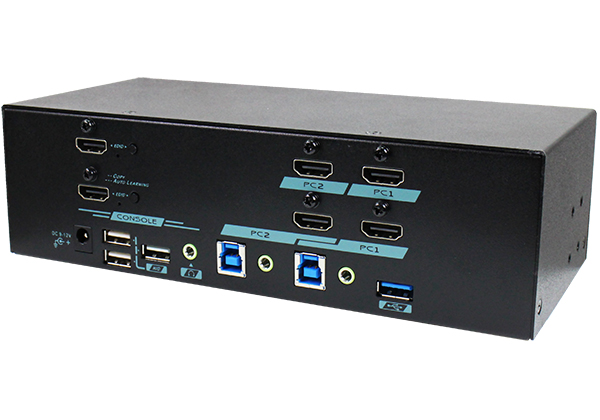
 MAAG-G322
2-Port Dual-Monitor 4K HDMI KVM Switch with USB 3.2 Gen 1
The MAAG-G322 lets one console, consisting of a keyboard, mouse, two HDMI monitors and speakers, operate two computers. Each computer connects with two HDMI video cables and a USB 3.2 Gen 1 link, and a single button or hotkey moves the whole workstation to the other machine. It suits multi-display desks, design and trading workstations, and any setup that pairs two PCs with a dual-screen layout.
MAAG-G322
2-Port Dual-Monitor 4K HDMI KVM Switch with USB 3.2 Gen 1
The MAAG-G322 lets one console, consisting of a keyboard, mouse, two HDMI monitors and speakers, operate two computers. Each computer connects with two HDMI video cables and a USB 3.2 Gen 1 link, and a single button or hotkey moves the whole workstation to the other machine. It suits multi-display desks, design and trading workstations, and any setup that pairs two PCs with a dual-screen layout.
KVM Switches
Control several computers from one keyboard, mouse and monitor set. Our KVM switches cover VGA, DVI and HDMI systems, single and dual displays, and port counts from 2 to 16, with hotkey, push-button and on-screen menu control.
MAAG-G322
2-Port Dual-Monitor 4K HDMI KVM Switch with USB 3.2 Gen 1
The MAAG-G322 lets one console, consisting of a keyboard, mouse, two HDMI monitors and speakers, operate two computers. Each computer connects with two HDMI video cables and a USB 3.2 Gen 1 link, and a single button or hotkey moves the whole workstation to the other machine. It suits multi-display desks, design and trading workstations, and any setup that pairs two PCs with a dual-screen layout.
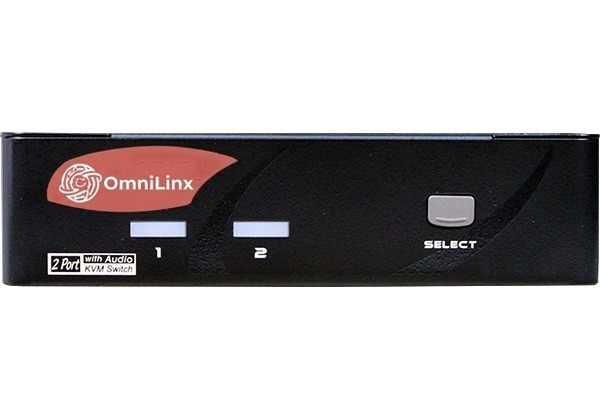 MAAG-112
2-Port HDMI KVM Switch with USB 2.0 and Two-Way Audio
The MAAG-112 is a compact two-computer HDMI KVM switch for a single-monitor desk. It shares a USB keyboard, mouse, further USB 2.0 devices and a speaker and microphone pair between both machines. It needs no drivers or software and is aimed at office, lab and home-office workstations.
MAAG-112
2-Port HDMI KVM Switch with USB 2.0 and Two-Way Audio
The MAAG-112 is a compact two-computer HDMI KVM switch for a single-monitor desk. It shares a USB keyboard, mouse, further USB 2.0 devices and a speaker and microphone pair between both machines. It needs no drivers or software and is aimed at office, lab and home-office workstations.
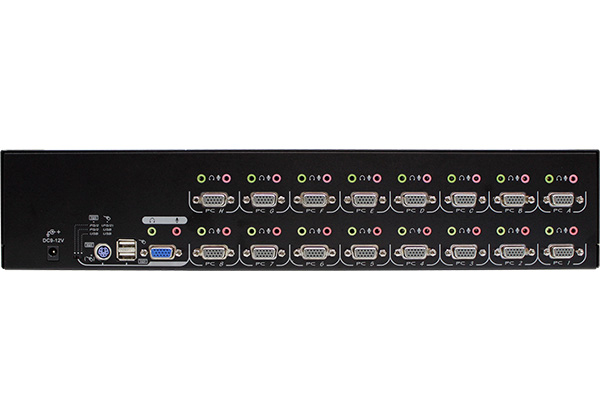 UCANV-116D
16-Port VGA KVM Switch with OSD, PS/2, USB and Audio
The UCANV-116D lets one keyboard, mouse and VGA monitor, plus stereo audio, control up to sixteen computers from a 2U rack unit. An on-screen display handles naming, selection, scanning and password protection. Units can be cascaded to grow the system, making it a fit for server rooms where rack space is limited.
UCANV-116D
16-Port VGA KVM Switch with OSD, PS/2, USB and Audio
The UCANV-116D lets one keyboard, mouse and VGA monitor, plus stereo audio, control up to sixteen computers from a 2U rack unit. An on-screen display handles naming, selection, scanning and password protection. Units can be cascaded to grow the system, making it a fit for server rooms where rack space is limited.
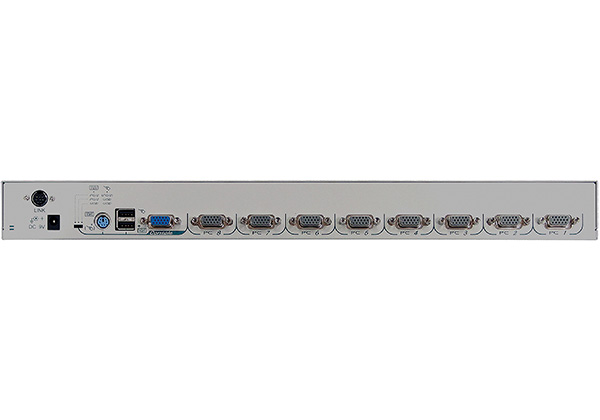 UCNV-108D
8-Port VGA KVM Switch with OSD, PS/2 and USB, 1U Rack
The UCNV-108D shares one USB or PS/2 keyboard, mouse and a VGA monitor across eight computers. It fits a single rack unit, and its OSD offers named ports, auto scan and password locking. Cascading allows larger installations, so it suits server rooms and equipment racks.
UCNV-108D
8-Port VGA KVM Switch with OSD, PS/2 and USB, 1U Rack
The UCNV-108D shares one USB or PS/2 keyboard, mouse and a VGA monitor across eight computers. It fits a single rack unit, and its OSD offers named ports, auto scan and password locking. Cascading allows larger installations, so it suits server rooms and equipment racks.
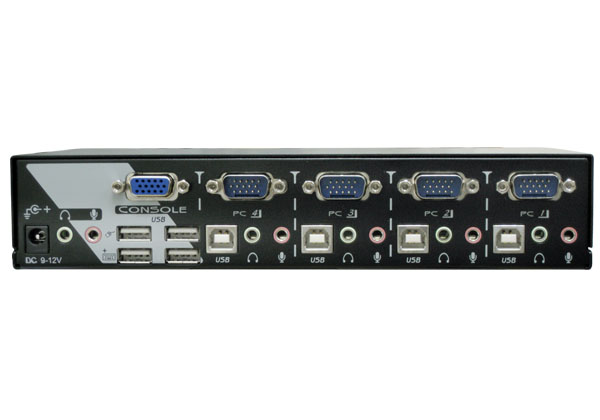 KAAG-114
4-Port VGA KVM Switch with USB 2.0 and Audio
The KAAG-114 shares a keyboard, mouse, VGA monitor, USB 2.0 devices and 3.5mm stereo audio among four computers. A front-panel button or keyboard hotkey changes the active computer. It works with Windows and Mac hosts without software, so it suits compact offices and test benches.
KAAG-114
4-Port VGA KVM Switch with USB 2.0 and Audio
The KAAG-114 shares a keyboard, mouse, VGA monitor, USB 2.0 devices and 3.5mm stereo audio among four computers. A front-panel button or keyboard hotkey changes the active computer. It works with Windows and Mac hosts without software, so it suits compact offices and test benches.
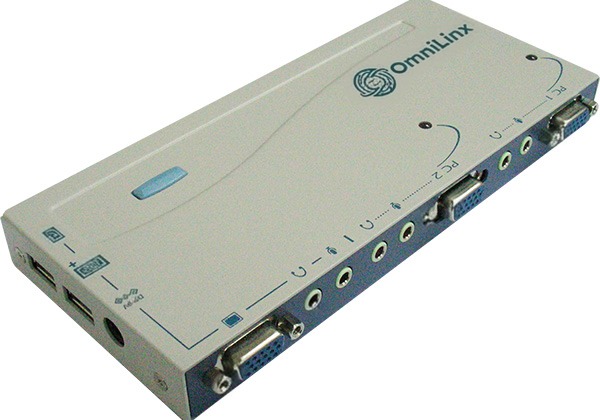 UMHA-2
2-Port VGA KVM Switch with USB, Audio and Hotkey Control
The UMHA-2 is a small KVM switch that shares one keyboard, mouse, VGA monitor and stereo audio and microphone between two computers. Cabling goes to the rear for a tidy desk, and it draws power from the attached computers. It is intended for small desks and lab benches that need a simple, low-cost switch.
UMHA-2
2-Port VGA KVM Switch with USB, Audio and Hotkey Control
The UMHA-2 is a small KVM switch that shares one keyboard, mouse, VGA monitor and stereo audio and microphone between two computers. Cabling goes to the rear for a tidy desk, and it draws power from the attached computers. It is intended for small desks and lab benches that need a simple, low-cost switch.
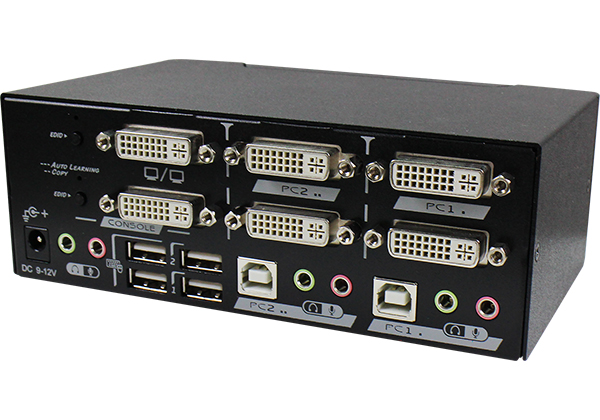 DADG-122
2-Port Dual-Display DVI KVM Switch with USB 2.0 and Audio
The DADG-122 shares a keyboard, mouse, two DVI monitors, USB 2.0 devices and stereo audio between two computers, each driving two displays. It needs no drivers or software and handles Windows and Mac hosts. It is built for dual-screen workstations that must be shared between two machines.
DADG-122
2-Port Dual-Display DVI KVM Switch with USB 2.0 and Audio
The DADG-122 shares a keyboard, mouse, two DVI monitors, USB 2.0 devices and stereo audio between two computers, each driving two displays. It needs no drivers or software and handles Windows and Mac hosts. It is built for dual-screen workstations that must be shared between two machines.
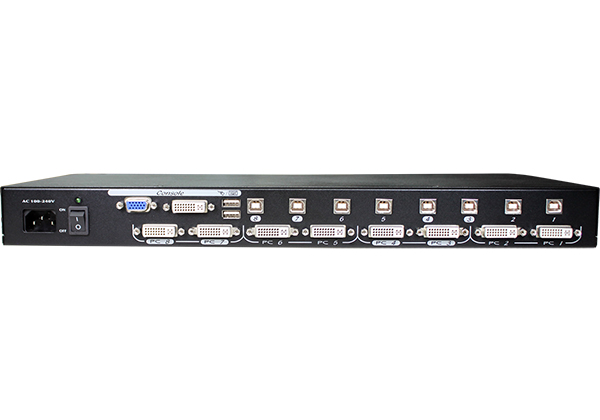 DUNV-108QD
8-Port DVI KVM Switch with OSD, USB and Built-In Power
The DUNV-108QD connects eight DVI computers to one USB keyboard, mouse and monitor. An on-screen display provides naming, selection and password protection, and an internal power supply removes the need for an adapter. Its EDID handling supports both DVI and VGA monitors, so it fits server rooms and control racks.
DUNV-108QD
8-Port DVI KVM Switch with OSD, USB and Built-In Power
The DUNV-108QD connects eight DVI computers to one USB keyboard, mouse and monitor. An on-screen display provides naming, selection and password protection, and an internal power supply removes the need for an adapter. Its EDID handling supports both DVI and VGA monitors, so it fits server rooms and control racks.
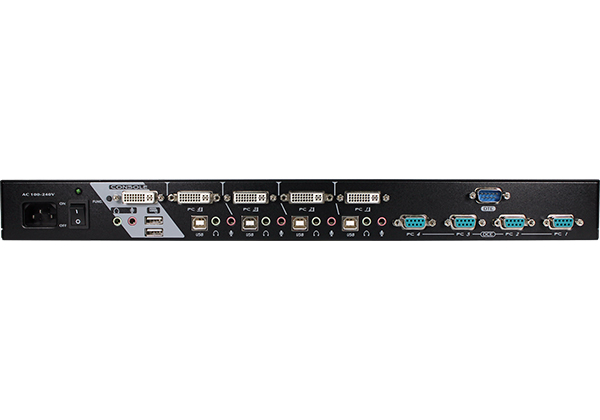 DUKGS-114Q
4-Port Dual-Link DVI KVM Switch with Serial and Audio
The DUKGS-114Q shares one USB keyboard, mouse, dual-link DVI monitor and a serial device among four computers. It handles resolutions up to 2560 x 1600 and carries stereo audio, and an internal power supply is included. The serial switching suits industrial control and lab environments.
DUKGS-114Q
4-Port Dual-Link DVI KVM Switch with Serial and Audio
The DUKGS-114Q shares one USB keyboard, mouse, dual-link DVI monitor and a serial device among four computers. It handles resolutions up to 2560 x 1600 and carries stereo audio, and an internal power supply is included. The serial switching suits industrial control and lab environments.
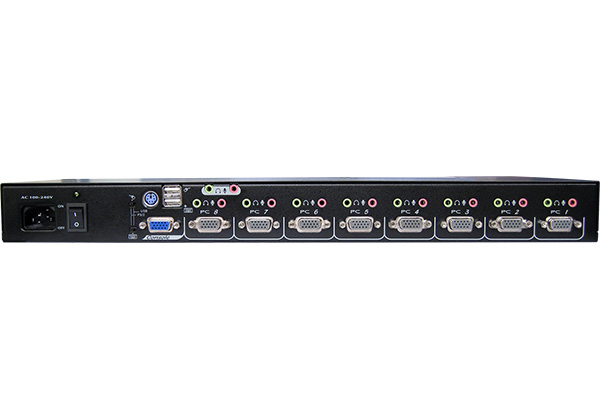 UCANV-108QD
8-Port VGA KVM Switch with OSD, PS/2, USB and Audio
The UCANV-108QD controls eight VGA computers from one keyboard, mouse and monitor and carries stereo audio on each port. The OSD supports naming, selection, scanning and password security, and the built-in power supply keeps the rack tidy. Cascading extends capacity for larger server rooms.
UCANV-108QD
8-Port VGA KVM Switch with OSD, PS/2, USB and Audio
The UCANV-108QD controls eight VGA computers from one keyboard, mouse and monitor and carries stereo audio on each port. The OSD supports naming, selection, scanning and password security, and the built-in power supply keeps the rack tidy. Cascading extends capacity for larger server rooms.
No products match these filters.
Choosing the right model
Choosing a KVM switch starts with three questions: how many computers you need to reach, how many monitors each workstation drives, and which video interface the computers output. From there, look at USB needs (keyboard and mouse only, or full USB 2.0 / 3.2 device sharing), audio, and how you want to switch. Not sure? Send us your setup and we will suggest a match.